ODIOSKOP

by I-MABLE
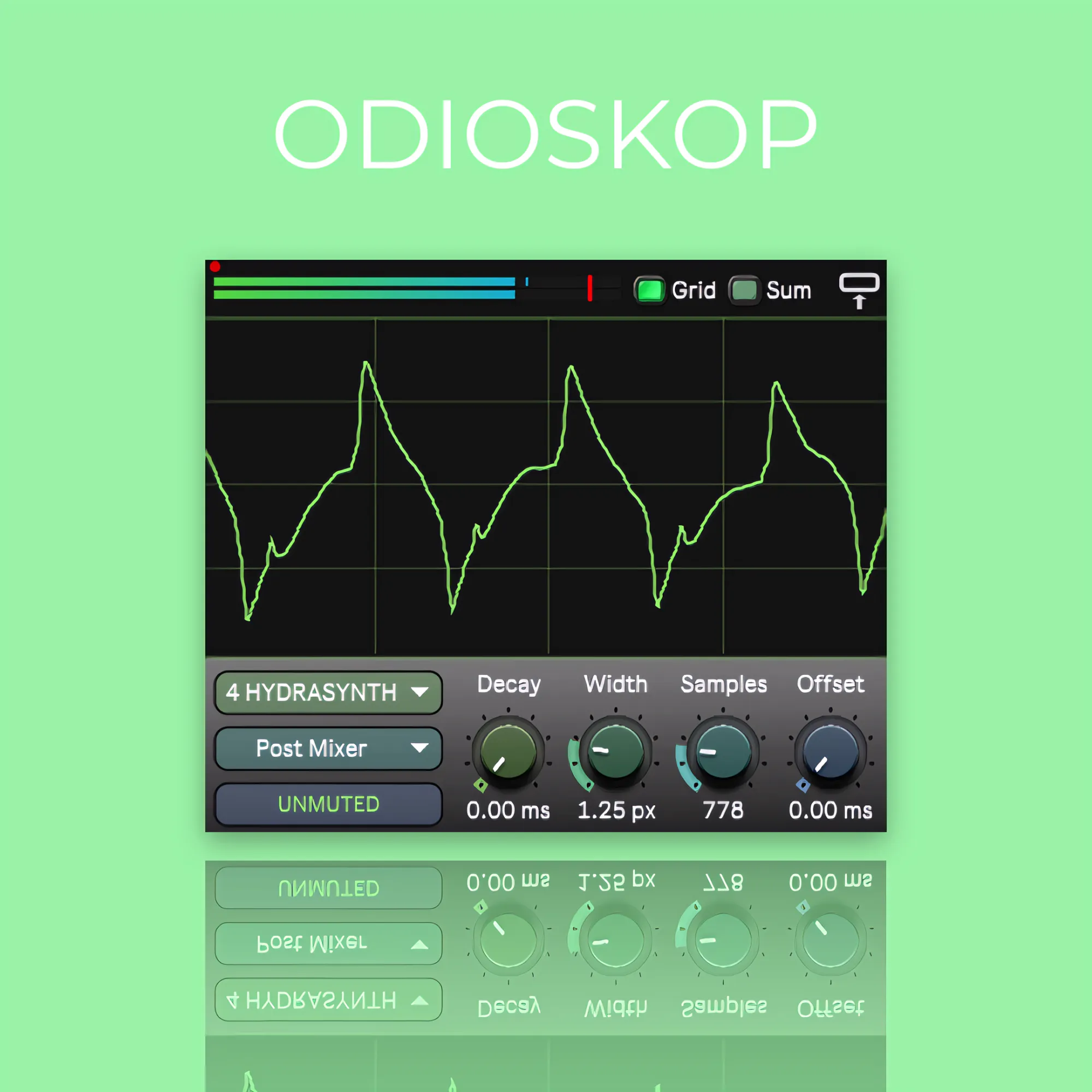
ODIOSKOP is a Max for Live device that provides a floating oscilloscope-style visualisation for any Ableton Live track. Developed by Raphaël SAUER aka I-Mable, this device offers a real-time waveform display, track status monitoring, and customizable settings, making it a powerful tool for musicians, producers, and sound engineers.
£9.00
1. Real-Time Audio Visualization
-
Floating oscilloscope-style waveform display.
-
Continuous dB level monitoring.
-
Clipping detection with adjustable sensitivity to spot distortions.
2. Flexible Track & Channel Control
-
Drop-down menu to select which track's audio will be analyzed.
-
Choose between Pre-FX, Post-FX, or Post-Mixer for maximum flexibility.
3. Track Status Indicator
-
Displays the current state of the selected track:
-
Unmuted
-
Muted
-
Soloed
-
4. Customizable UI & Settings
-
Decay – Adjusts the persistence of the waveform display.
-
Width – Modifies the waveform thickness for visual clarity.
-
Samples – Controls display density, allowing zoom-in or full-view analysis.
-
Offset – Adjusts waveform alignment for precise visual analysis.
-
Grid Mode – Enables a grid overlay like a traditional oscilloscope.
-
Mono / Dual Mode:
-
Mono – Sums the left and right channels.
-
Dual – Displays both channels separately for stereo analysis.
-
-
Panel Toggle – Hide the settings panel for a clean interface.
-
Clipping Sensitivity (Red Point Mode):
-
Increases the clipping indicator's sensitivity.
-
Turns the waveform and meters red when clipping is detected.
-
Helps match clipping indicators to your soundcard or mixer.
-
1. Real-Time Waveform Display for Instruments
-
Ideal for synths and hardware/virtual instruments without built-in screens.
-
Provides a real-time visual overview of the generated waveform.
2. Precise Audio Level Adjustment
-
Helps check and adjust input levels of instruments connected to your soundcard.
3. Distortion Detection & Correction
-
Clip Alert instantly detects clipping signals.
-
Adjust track volume or effects to prevent unwanted distortion.
4. Track Condition Monitoring
-
Instantly displays whether a track is muted, unmuted, or soloed.
5. Sound Design & Detailed Audio Analysis
-
Observe how distortion and effects impact an audio signal in real time.
-
Perfect for sound designers working with unique textures.
Why Choose ODIOSKOP?
-
Provides an intuitive and aesthetic oscilloscope within Ableton Live.
-
Designed for musicians, producers, and sound technicians who need precise waveform monitoring.
-
Ableton Live 12
-
Max for Live 8.6 or higher
-
Compatible with Windows and macOS
Limitations
-
Up to 8 instances can be used simultaneously, but performance depends on your computer’s power and Ableton Live’s graphical limitations.
-
Best used on a second monitor where Ableton Live is not displayed.